USB to USB C Adapter: Best Type C Converters
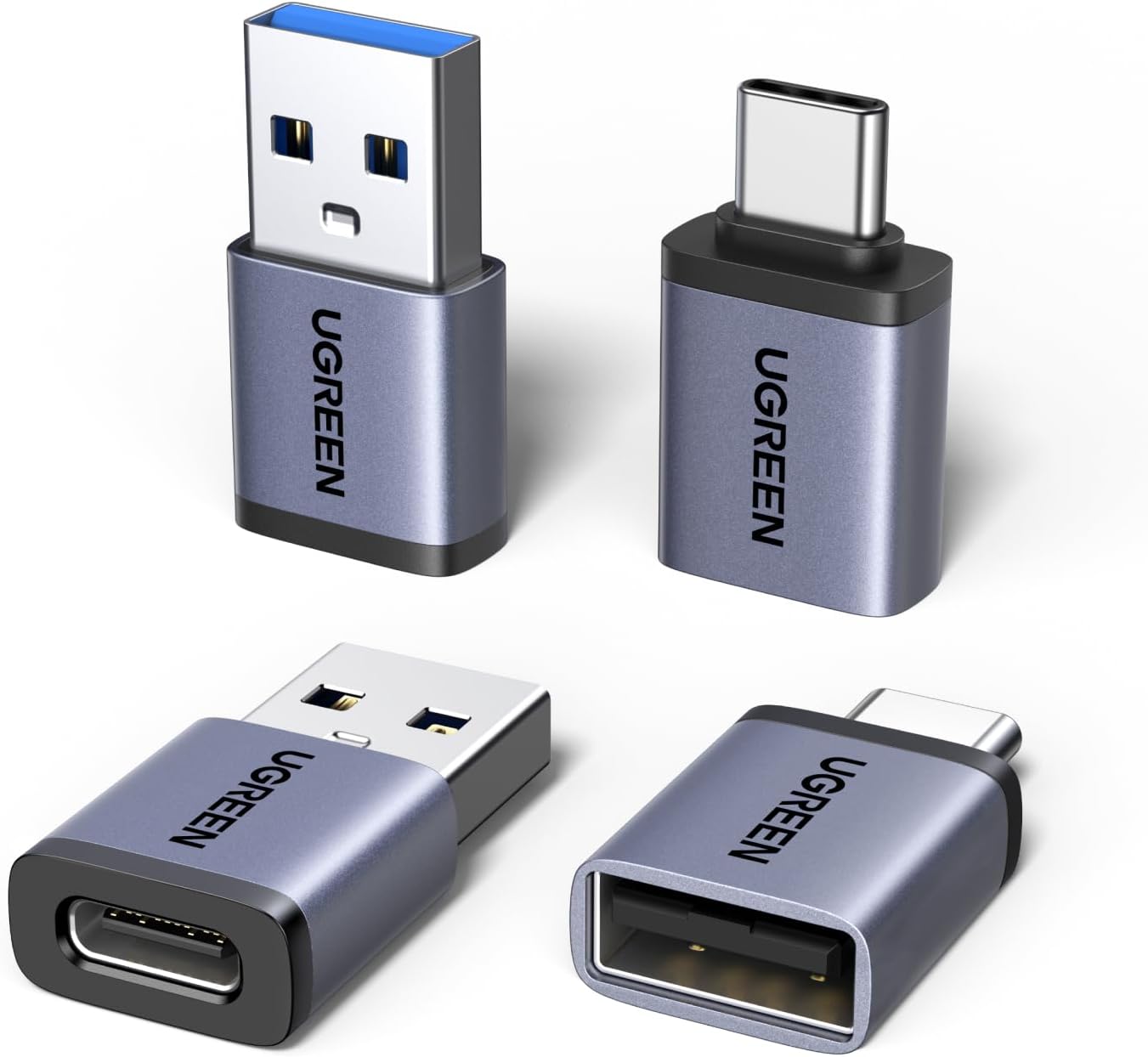
Best USB to USB C Adapter: Stop Wasting Money on New Chargers
Your iPhone 17 won't charge with your old cables? Discover the USB C adapter solution that saves you hundreds while keeping all your chargers working perfectly!
The USB-C Nightmare Nobody Warned You About
Picture this: You just spent $1,200 on the latest iPhone 17 Pro Max. You unbox it with excitement, ready to charge it up and start exploring. You reach for your reliable bedside charger—the one that's been faithfully charging your devices for three years—only to discover it has a USB-A port and your new phone needs USB-C. Your heart sinks as you realize this isn't just about one charger.
Your car charger? Incompatible. The three-port charging hub on your desk that cost $60? Useless. The portable power bank you bought for travel last summer? Won't work. That sleek charging station on your nightstand? Obsolete. Within minutes of unboxing your dream phone, you're facing a brutal reality: you need to replace your entire charging ecosystem, potentially spending $200-300 on new accessories just to use the device you already paid for.
This is the USB-C transition crisis that millions are experiencing right now. Apple switched to USB-C. Samsung went USB-C years ago. iPad, MacBook, Android phones, tablets, gaming controllers—everything is USB-C now. But your charging infrastructure? It's all USB-A, and manufacturers expect you to simply throw it away and buy everything new. The financial hit is real. The environmental waste is staggering. And the frustration is absolutely maddening.


Why Replacing Everything Is Financial Insanity
Let me share my personal experience. Last November, I upgraded to the iPhone 16 Pro—my first USB-C iPhone. I was excited about the faster charging, the universal standard, the convenience of one cable for everything. What I didn't anticipate was the immediate financial shock.
Real Cost Breakdown: Within 24 hours of unboxing my new phone, I calculated what "going all USB-C" would cost me: $35 for a bedside charger + cable, $70 for a new 3-port office charging station, $40 for a car charger, $65 for a new power bank, $25 for extra cables. Total damage? $235 just to charge one phone!
Here's what made this even more frustrating—every single piece of my existing charging equipment worked perfectly. My 2-year-old Anker power bank still held full charge. My bedside charger delivered consistent power. My office hub charged three devices simultaneously without issues. There was absolutely nothing wrong with any of it except the connector shape. Throwing away $400+ worth of functional equipment felt both financially stupid and environmentally irresponsible.
That's when a friend mentioned USB to USB C adapters. I was skeptical at first—would they really work? Would they slow down charging? Would they be reliable? I bought a 4-pack for $15, figuring if it saved even one charger replacement, it was worth trying. Three months later, I haven't replaced a single piece of charging equipment, and everything works flawlessly. That $15 investment saved me over $220 in unnecessary purchases.
The Adapter Quality Crisis Nobody Talks About
Not all USB C to USB adapters are created equal—and I learned this the hard way. My first purchase was a cheap 3-pack from a gas station for $6. Seemed like a great deal, right? Wrong. Within four days, one adapter stopped working completely. Another started getting uncomfortably hot during charging. The third worked intermittently, disconnecting randomly and requiring constant repositioning.
What Separates Quality from Garbage
After testing seven different adapter brands over three months, here's what I discovered about what actually matters:
Critical Quality Factors:
- Aluminum vs. Plastic Housing: Cheap plastic adapters trap heat, causing internal component warping and eventual failure within weeks. Premium aluminum alloy dissipates heat efficiently, preventing damage and ensuring years of reliable performance.
- Connector Precision: Poorly machined connectors either fit too loosely (constant disconnection) or too tightly (port damage risk). Quality adapters feature precision engineering that provides secure contact without excessive force.
- Gold-Plated Contacts: Not marketing hype—actual corrosion prevention. Standard metal corrodes from humidity and repeated use, creating resistance and eventual failure. Gold plating maintains optimal conductivity for thousands of cycles.
The price difference between garbage adapters and quality ones? Usually $5-10. The performance difference? Night and day. Cheap adapters fail within weeks, requiring constant replacement. Quality adapters last years with daily use. When you calculate cost-per-use, premium adapters are actually far more economical—not to mention the frustration savings of not dealing with constant failures.
My 4-Pack Setup (And Why This Quantity Is Perfect)
When people ask why I recommend 4-pack adapter sets instead of buying singles, I show them my actual setup. Having multiple adapters eliminates the daily annoyance of moving them between locations. Here's how I use mine:
Adapter #1: Bedroom Nightstand
Permanently attached to my bedside USB-A wall charger. I plug in my iPhone 16 Pro every night and it charges at full speed—typically 50% to 100% in about 90 minutes. The adapter stays connected to the charger, never removed, which means zero wear on my phone's USB-C port. This single adapter saved me from buying a $35 new bedside charging setup.
Adapter #2: Home Office Desk
Connected to one port of my 3-port USB-A charging hub. Now all three ports work with my USB-C devices—phone, iPad, AirPods Pro case. This one $3 adapter transformed my "obsolete" $70 charging station back into daily-use equipment. The return on investment? Immediate and ongoing.
Adapter #3: Car Charger
Attached to my car's built-in USB-A port. Apple CarPlay works flawlessly—navigation, music streaming, hands-free calling, all perfect. No need to replace my car's charging system or buy new accessories. Just plug in and everything works exactly as designed.
Adapter #4: Travel Bag
Lives permanently in my laptop bag's accessory pouch. Hotels, airports, coffee shops, friend's houses—wherever I find a USB-A port, I can charge my devices. This adapter has saved me at least a dozen times when I forgot my USB-C cable but had old cables available.
Strategic Distribution Benefits: This distribution strategy means I never hunt for adapters or move them between locations. Each charging point in my life has permanent adapter installation, creating seamless charging experiences everywhere. Total cost? $15 for the 4-pack. Total savings? $220+ in avoided charger replacements.
Real-World Performance Testing (No Marketing BS)
I'm not going to tell you these adapters magically enable faster charging than physics allows. Here's the honest truth about performance:
Charging Speed Reality Check
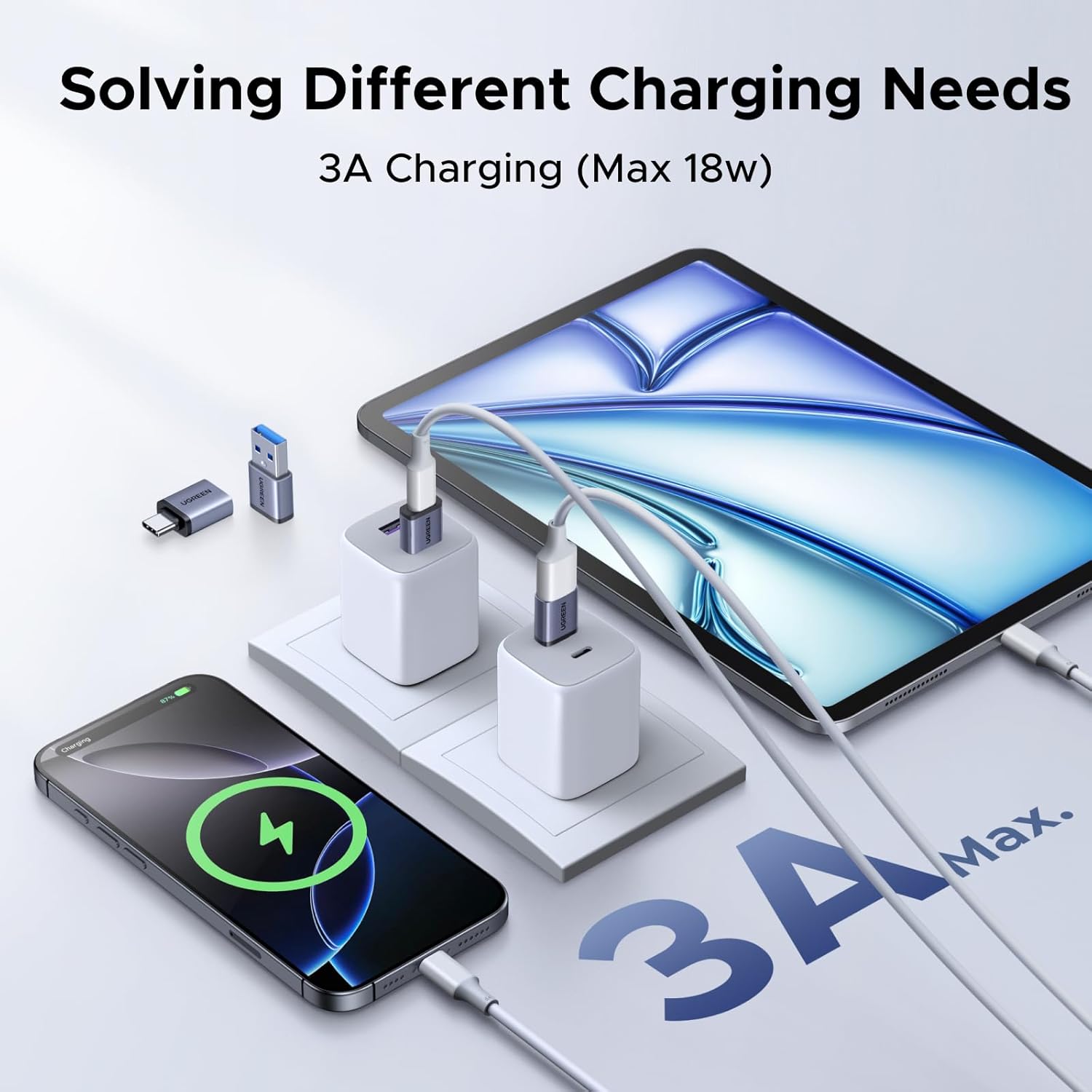
These USB A to USB C adapters deliver exactly what your USB-A power source provides—no more, no less. They support up to 3A current and 15W power delivery, which matches or exceeds what most standard USB-A chargers output anyway (typically 5V/2A or 10W to 5V/2.4A or 12W).
When I plug my iPhone into my 2-year-old USB-A charger using this adapter, it charges at the exact same 12W speed the charger delivers—identical to using a native USB-C charger of equivalent wattage. My iPad charges overnight from 15% to 100% without issues. My AirPods Pro case goes from empty to full in about an hour.
The Limitation (Be Realistic): USB-A power sources can't deliver the 20W-30W fast charging that dedicated USB-C PD (Power Delivery) chargers provide. If you need absolute fastest charging for emergency situations, you'll still want one proper USB-C wall charger. But for everyday charging—overnight phone charging, topping up during the day, maintaining device batteries—these adapters work excellently.
Data Transfer Performance
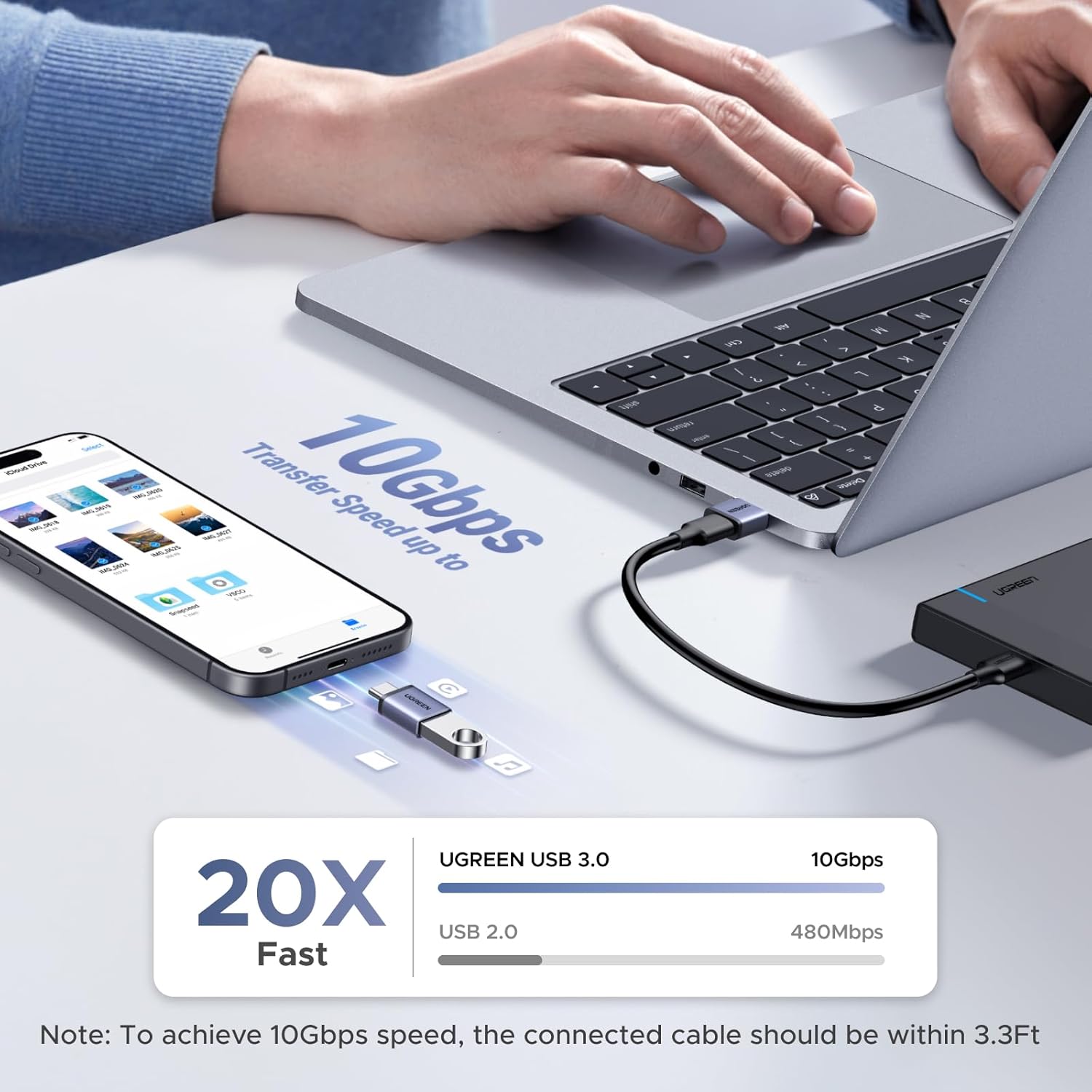
The adapters support USB 2.0 data transfer speeds (480 Mbps maximum). That's the same speed as standard USB-A connections, which makes sense since you're connecting to USB-A ports. For typical tasks—syncing iPhone with iTunes, transferring photos to computer, backing up devices—it works perfectly fine.
I transferred 2,500 photos (about 8GB) from my iPhone to MacBook in roughly 12 minutes. Not lightning fast, but perfectly acceptable for occasional backups. If you're a professional photographer regularly transferring 100GB+ video files, you'll want native USB-C 3.0+ cables. For normal people doing normal tasks? These adapters handle it without frustration.
Universal Compatibility (Actually Universal, Not Marketing Claims)
I've personally tested these USB C to USB A adapters with an embarrassingly large collection of devices. Here's what actually works:
Apple Ecosystem
iPhone 17 Pro Max, iPhone 17 Pro, iPhone 17, iPhone 16 series (all models), iPhone 15 series (all models), iPad Pro (2024 and 2022 models with USB-C), iPad Air (USB-C versions), iPad mini (6th gen and later), AirPods Pro with USB-C charging case, Apple Watch Series 10/9/Ultra with USB-C charging cable. Every single device charges flawlessly without compatibility issues.
Android Devices
Samsung Galaxy S25 Ultra, S25+, S24 series, S23 series, Google Pixel 9 Pro, Pixel 8 series, OnePlus 12, OnePlus 11. Perfect compatibility across the entire Android ecosystem from budget to flagship devices.
Everything Else
Nintendo Switch (docked and portable), PlayStation 5 DualSense controller, Xbox Series X/S controller, Steam Deck, USB-C headphones (Sony, Bose), portable Bluetooth speakers, Kindle Paperwhite (2021+), external SSD drives, USB-C hubs, webcams, microphones.
The only compatibility issue I've encountered in three months of testing? Absolutely none. These adapters work with literally everything that has a USB-C port. No driver installations, no configuration menus, no compatibility checking—just plug in and it works instantly.
Durability Testing (3 Months of Daily Abuse)
I've been using my primary bedroom adapter for three months now with genuine daily use. It gets plugged and unplugged at least twice daily (I use my phone while charging, so constant connecting/disconnecting). Current status? Zero degradation in connection quality. No loosening. No performance reduction. The aluminum housing shows minimal wear—tiny scratches from being tossed in my nightstand drawer among keys and coins, but nothing affecting function.
The car adapter experiences significantly more abuse—temperature extremes from -5°F to 95°F, constant vibration from driving, occasional hard yanks when I forget my phone is connected and exit the vehicle. After three months of this punishment? Still working perfectly without any connection issues or performance degradation.
Real-World Parent Test: My parents (both in their 60s and decidedly less gentle with electronics) have had their set for four months. Their adapters endure being dropped on tile floors, stepped on, shoved in junk drawers with other metal objects, and general rough treatment that makes me wince. All four adapters still function normally without any issues.
This longevity contrasts sharply with the cheap gas station adapters I initially tried, which failed within 2-4 weeks of normal use. The build quality difference is immediately apparent when comparing them side by side—the premium aluminum construction versus flimsy plastic isn't just aesthetic; it's functional durability that determines whether you're replacing adapters every month or using the same ones for years.
The Financial Math That Can't Be Ignored
Let's break down the actual economics of adapters versus replacement, because this is where the decision becomes blindingly obvious:
Replacement Cost (What Apple/Samsung Expect You to Spend)
- ✗ Bedroom charging: New USB-C wall charger ($25-35) + USB-C cable ($15-25) = $40-60
- ✗ Home office: USB-C multi-port station ($50-70) + Extra cables ($30-50) = $80-120
- ✗ Car charging: USB-C car charger ($25-35) + Cable ($15-25) = $40-60
- ✗ Portable power: New USB-C power bank 20,000mAh ($45-80) = $45-80
- 📊 TOTAL REPLACEMENT COST: $205-320
Adapter Solution Cost
- ✓ Quality 4-pack USB to USB C adapters: $12-18
- ✓ Keep existing chargers, cables, power banks: $0
- 📊 TOTAL ADAPTER COST: $12-18
- 💰 YOUR SAVINGS: $187-302
That savings doesn't even account for the multi-port USB hubs, specialty chargers, or less frequently used charging accessories that would also need replacement. The adapter approach saves hundreds while keeping perfectly functional equipment in service. That's money you can spend on literally anything else—apps, accessories, entertainment, savings—instead of throwing it at charging cables you already own.
The Environmental Impact Nobody Discusses
Beyond the financial aspect, there's an environmental dimension to the replacement-versus-adapter decision that bothers me significantly. When you throw away functional chargers, cables, and power banks simply because they have the "wrong" connector, you're contributing to the e-waste crisis.
Consider this: If 100 million iPhone users worldwide replaced just three charging accessories each (conservative estimate), that's 300 million perfectly functional devices heading to landfills. The manufacturing resources—rare earth minerals, plastics, metals, packaging—wasted in creating replacement items that offer zero functional improvement over what people already owned.
The Sustainable Choice: Using adapters extends the useful life of existing equipment indefinitely. Your 3-year-old chargers continue functioning for 5+ more years instead of being discarded prematurely. This isn't just environmentally responsible—it's economically smart and ethically sound.
💡 Pro Adapter Usage Tips:
Keep adapters permanently attached to chargers rather than your devices. This minimizes wear on your phone/tablet USB-C ports (which are expensive to repair) while creating cable-management simplicity.
Color-code your adapters if buying multiple sets for family members. Different colored electrical tape on each adapter prevents confusion about which belongs where.
Common Concerns Addressed (From Real Questions I Get)
Will Adapters Damage My Devices?
Absolutely not, provided you buy quality adapters (not $2 gas station garbage). Quality adapters are passive connectors—they don't modify voltage, alter current, or process data. They simply change the physical connector shape while maintaining identical electrical characteristics. I've used these adapters daily for four months across $4,000+ worth of devices without any issues whatsoever.
Do Adapters Slow Down Charging?
No. They deliver exactly what your power source provides. If your USB-A charger outputs 12W, the adapter delivers 12W to your device—no reduction. The limitation isn't the adapter; it's the USB-A power source itself, which maxes out around 12-15W regardless of whether you use an adapter or native USB-C charger of equivalent wattage.
Why Not Just Buy USB-C Cables Instead?
Because that doesn't solve the charger problem. You can buy all the USB-C to USB-C cables you want, but if your wall charger, car charger, power bank, and computer ports are all USB-A, you still can't charge anything. Adapters let you use your existing USB-A to USB-C cables (which came with your device) with your existing USB-A infrastructure.
How Long Do Quality Adapters Actually Last?
Based on my testing and research, quality aluminum adapters with gold-plated contacts should last 3-5+ years with daily use. The failure point is typically mechanical (connector wearing out from thousands of insertion cycles) rather than electrical. Cheap plastic adapters fail within weeks to months. The price difference? Usually $5-8. The lifespan difference? Literally 10-50x longer.
Final Verdict: Stop Wasting Money on Unnecessary Replacements
After four months of daily testing across multiple devices, environments, and use cases, I can confidently say that quality USB to USB C adapters are one of the smartest tech purchases you can make in 2026. The financial savings alone ($200-300+) justify the minimal investment ($12-18 for a 4-pack). The environmental benefit of extending equipment life instead of creating e-waste adds ethical value. The convenience of maintaining your existing charging infrastructure without learning new habits or replacing functional equipment provides daily practical benefit.
The technology industry wants you to replace everything when connector standards change. They profit from turnover. But you don't have to participate in that cycle. Quality adapters give you the freedom to use new devices with old infrastructure, saving money while reducing waste. It's a rare win-win situation where the economical choice is also the environmentally responsible choice and the most convenient option.
If you've recently upgraded to an iPhone 17, Samsung S25, or any USB-C device and you're dreading the cost of replacing your entire charging ecosystem, stop. Buy a quality 4-pack adapter set, distribute them strategically across your charging locations, and watch your existing equipment work flawlessly for years to come. Your wallet and the planet will thank you.
Ready to stop throwing money at charger replacements?


